How to Scrape Carrefour UAE Products with Python (2026)
A Carrefour UAE scraper converts public pages on carrefouruae.com into structured data: product ID, name, AED price, marked price and stock status. Brands that sell through UAE grocery stores use this web data to track promotions and test pricing strategies.
This 2026 guide shows how to extract Carrefour UAE product information with Python and the Datafuel Unlocker API. The tested script reads category, search and product pages, follows pagination, removes duplicate products and writes a CSV file. Check the site's robots.txt and terms of use for your own use case.
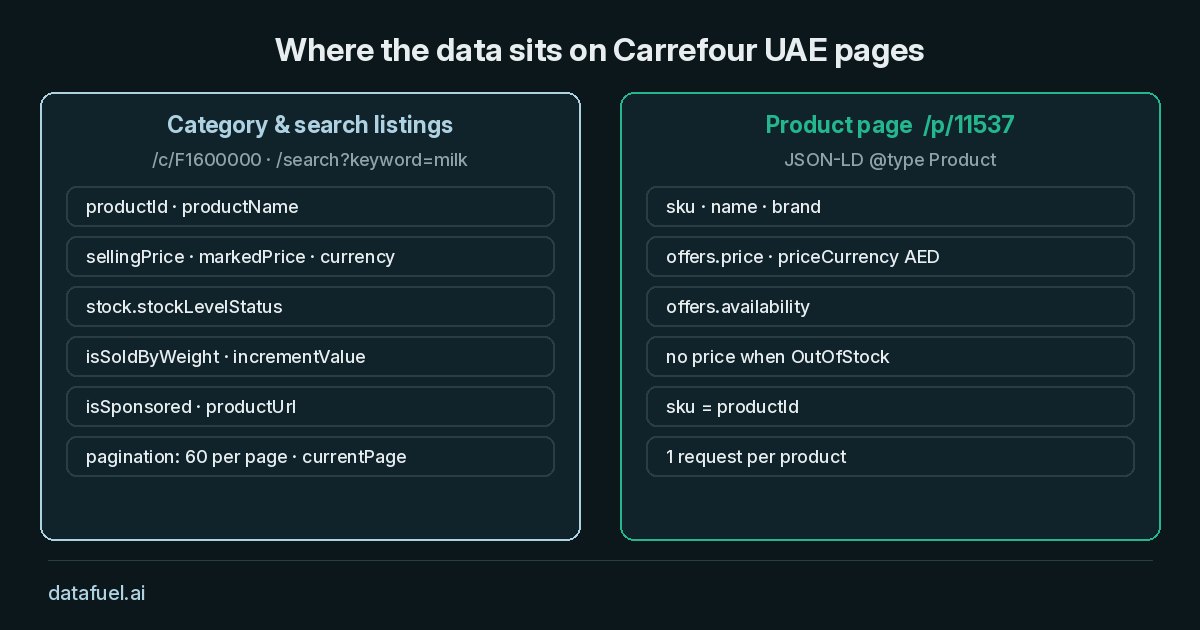
Where product data sits on Carrefour UAE pages
Category pages (/c/F1600000) and search pages (/search?keyword=milk) use the Next.js App Router and contain no JSON-LD. Each product listing sits inside the self.__next_f.push(...) script payload, in a grid object next to a pagination object.
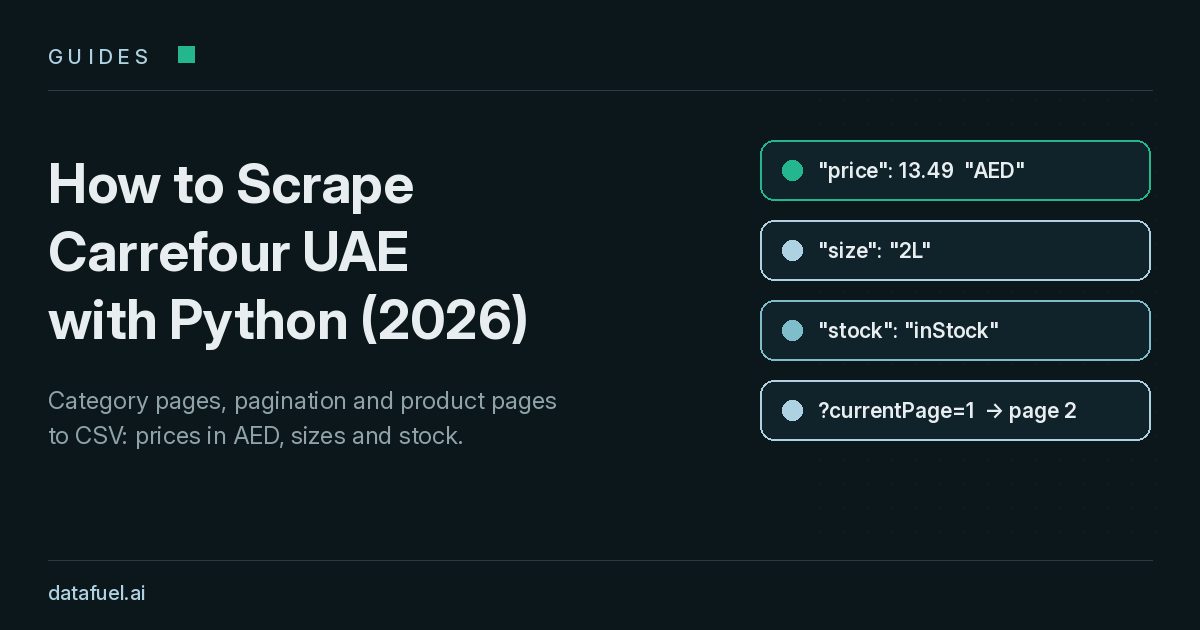
Each listing object holds productId, productName, sellingPrice, markedPrice, a stock level and a sponsored flag. For fresh counter items, isSoldByWeight is true, and the price covers one incrementValue step, such as 0.5 kg.
Pagination is zero-based: currentPage=1 returns the second page of 60 products, on category and search URLs alike.
Product pages (/p/11537) add detailed product data in a JSON-LD Product block, including SKU, brand and availability. For out-of-stock products, this block contains no price.
Why a plain Python request returns no data
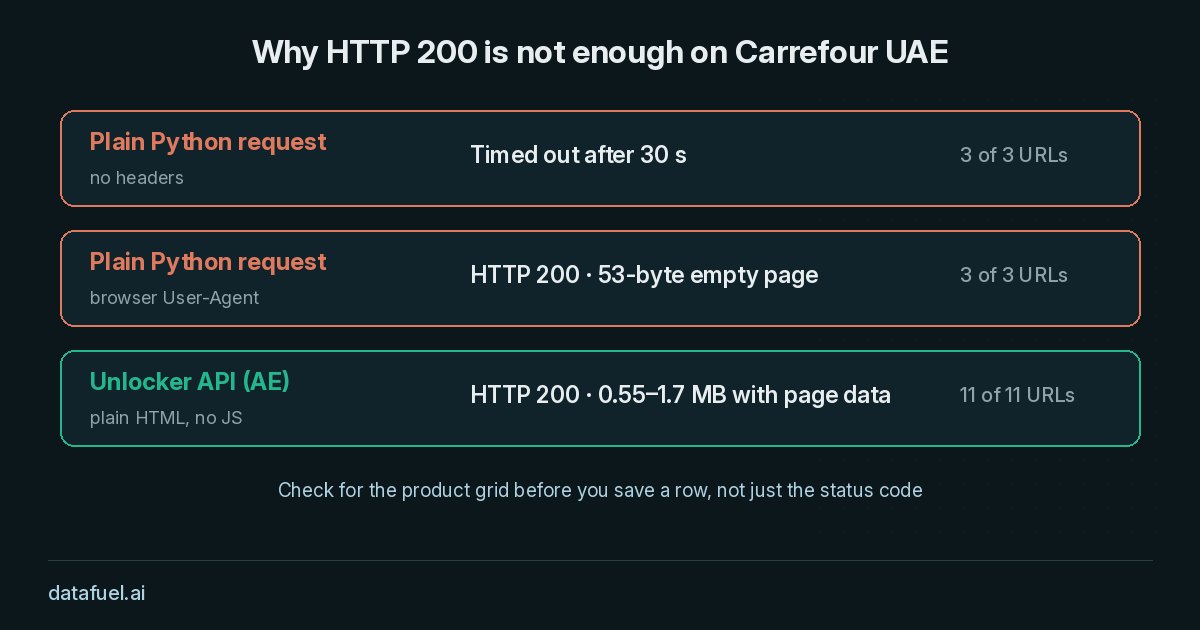
We tested requests.get() on one category, one search and one product URL. Without headers, all three timed out after 30 seconds. With a browser User-Agent, all three returned HTTP 200 with a 53-byte empty page. Our guide to bot detection in 2026 explains how anti bot systems score such requests.
Fetching Carrefour UAE pages with the Unlocker API
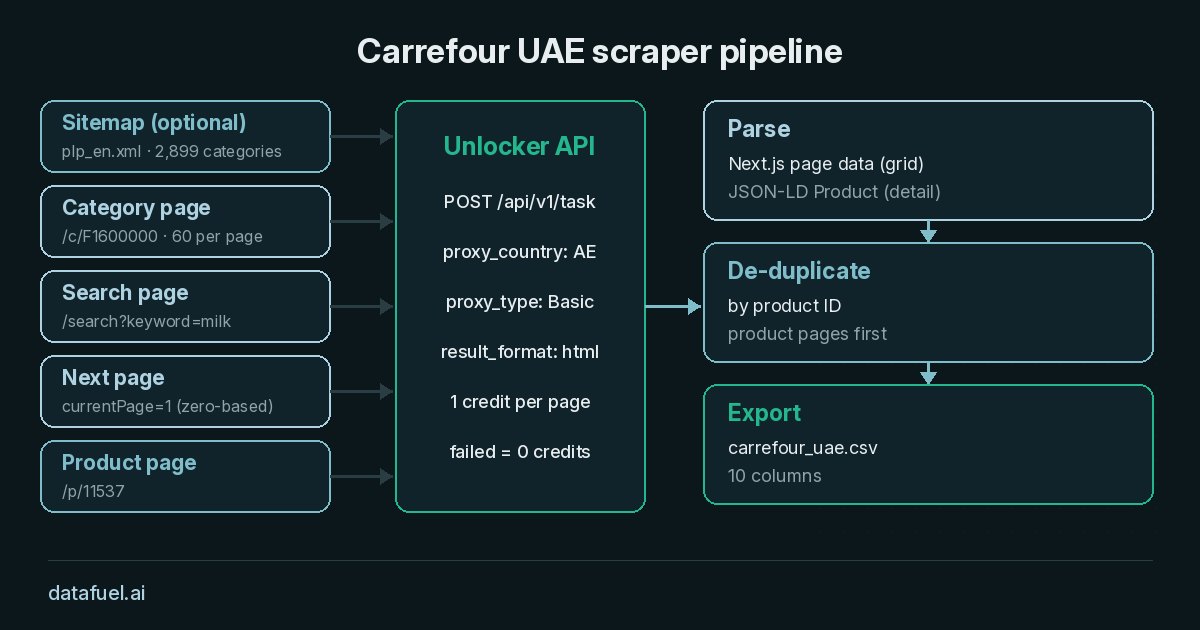
The Unlocker API accepts a URL and a country in one POST request and returns HTML, Markdown or JSON. With proxy_country set to AE, requests exit from the UAE. A basic page costs 1 credit, JavaScript rendering costs 5, and Datafuel does not bill failed requests. In our tests, no Carrefour UAE page required rendering.
Carrefour scraper Python code
The script below performs the full data extraction in about 60 lines. It reads two categories, three search terms and three product pages, and it expects an API key in the DATAFUEL_API_KEY environment variable.
import csv, json, os, re, requests

API, BASE, LOG = "https://scraping-api.datafuel.ai/api/v1/task", "https://www.carrefouruae.com/mafuae/en/", []

def fetch(url):
    body = {"type": "unlocker", "proxy_type": "Basic", "proxy_country": "AE",
            "attributes": {"url": url, "result_format": "html"}}
    task = requests.post(API, headers={"X-API-Key": os.environ["DATAFUEL_API_KEY"]}, json=body, timeout=120).json()
    LOG.append((url, task.get("status_code"), task.get("credits_used", 0), task.get("duration_ms")))
    return task["result"]["data"] if task.get("status_code") == 200 else ""

def find(obj, test):
    if isinstance(obj, dict) and test(obj):
        yield obj
    elif isinstance(obj, (dict, list)):
        for v in (obj.values() if isinstance(obj, dict) else obj):
            yield from find(v, test)

def page_data(html):  # Next.js self.__next_f payload
    chunks = re.findall(r'self\.__next_f\.push\(\[1,"(.*?)"\]\)</script>', html, re.S)
    for line in re.findall(r"^[0-9a-f]+:([\[{].*)$", "".join(json.loads(f'"{c}"') for c in chunks), re.M):
        try:
            yield json.loads(line)
        except ValueError:
            pass

def listing(url, pages):
    rows = []
    for page in range(pages):  # currentPage=1 is page 2
        html = fetch(url + (("&" if "?" in url else "?") + f"currentPage={page}" if page else ""))
        grid = next(find(list(page_data(html)), lambda d: isinstance(d.get("pagination"), dict) and "sections" in d), None)
        if not grid: break
        rows += [{"id": p["productId"], "name": p["productName"], "price": p["sellingPrice"], "was_price": p.get("markedPrice"),
                  "currency": p.get("currency"), "stock": (p.get("stock") or {}).get("stockLevelStatus"),
                  "sold_by_weight": p.get("isSoldByWeight"), "sponsored": p.get("isSponsored"), "source": url, "page": page}
                 for p in find(grid["sections"], lambda d: "productId" in d and "sellingPrice" in d)]
        if page + 1 >= grid["pagination"].get("totalPages", 0):
            break
    return rows

def product(url):
    for raw in re.findall(r'application/ld\+json[^>]*>(.*?)</script>', fetch(url), re.S):
        d = json.loads(raw)
        if d.get("@type") == "Product":
            offer = d.get("offers") or {}
            return {"id": d.get("sku"), "name": d.get("name"), "price": offer.get("price"), "currency": offer.get("priceCurrency"),
                    "stock": offer.get("availability", "").rsplit("/", 1)[-1], "source": url}

if __name__ == "__main__":
    lists = [("c/F1600000", 2), ("c/F1500000", 2), ("search?keyword=milk", 2),
             ("search?keyword=basmati%20rice", 1), ("search?keyword=iphone", 1)]
    products = ["double-cream-milk/al-rawabi-milk-double-cream-2l/p/11537", "chicken-breast/al-rawdah-chicken-breast-b-les-500g/p/12433",
                "australian-beef/aus-beef-striploin-steak-dc-/p/264648"]
    rows = [r for p in products if (r := product(BASE + p))]  # product pages first
    rows += [r for path, pages in lists for r in listing(BASE + path, pages)]
    unique = {str(r["id"]): r for r in reversed(rows)}  # de-duplicate by product ID
    with open("carrefour_uae.csv", "w", newline="", encoding="utf-8") as f:
        writer = csv.DictWriter(f, fieldnames=list(rows[-1]))
        writer.writeheader()
        writer.writerows(unique.values())
    print(len(rows), "rows,", len(unique), "unique,", sum(c[2] for c in LOG), "credits")
The listing function reads only the grid next to pagination, because other carousels on the page also contain product objects. Product pages load first, so their JSON-LD values take priority on duplicate IDs. To extend coverage, read the public sitemap file plp_en.xml, which listed 2,899 English category URLs on our run.
Live test results (2 November 2026)
We ran this exact script on 2 November 2026 at 21:13 UTC with proxy_type: Basic and proxy_country: AE. All 11 requests returned HTTP 200, consumed 11 credits and produced 498 rows, which the script reduced to 477 unique products. The median API-reported duration was 3.64 seconds.
| Page type | Requests | Rows | Seconds |
|---|---|---|---|
| Category pages (2 categories, 2 pages each) | 4 | 248 | 2.20–6.19 |
| Search listing pages ("milk" x2, "basmati rice", "iphone") | 4 | 247 | 2.92–8.09 |
| Product pages | 3 | 3 | 1.54–6.51 |
Page 2 shared no organic product with page 1 in any paginated listing. In the "milk" search, 6 of 9 sponsored cards also appeared as organic cards. Promotions were frequent: 162 of 495 listing rows (33%) carried a selling price below the marked price.
A scheduled Carrefour scraper should also check that every row is in AED and that page 2 differs from page 1.
From snapshots to UAE grocery price tracking
Automated data collection on a daily schedule converts snapshots into a price history. See our price monitoring use case, the guide on how to monitor competitors and our Amazon price scraper.
Frequently asked questions
Is there a Carrefour UAE API for product data?
This guide does not use a Carrefour UAE API. Suppliers with a retailer data feed should start there; otherwise, the script extracts data from the public pages directly.
Can I scrape Carrefour UAE search results?
Yes. Search listings use the same page data as categories, so listing handles both. The three searches returned 247 rows for 4 credits.
How do I compare prices of products sold by weight?
Divide sellingPrice by incrementValue to obtain a price per kilogram. Our run recorded 51 sold-by-weight items among 127 Fresh Food rows.
How often should a Carrefour UAE scraper run?
A daily schedule suits most promotion tracking. At 1 credit per listing page, a full pass of Fresh Food (43 pages) costs about 43 credits.
Is it legal to scrape Carrefour UAE?
The answer depends on your jurisdiction and your use of the data. Read the site's terms and robots.txt, collect only public pages, keep request rates moderate and do not republish the catalog. This guide is not legal advice.
Try the Carrefour UAE scraper
Every Datafuel account starts with 1,000 free credits, valid for one year, with no credit card required. See pricing for volume rates.