Bot Detection in 2026: People, Scrapers and AI Agents
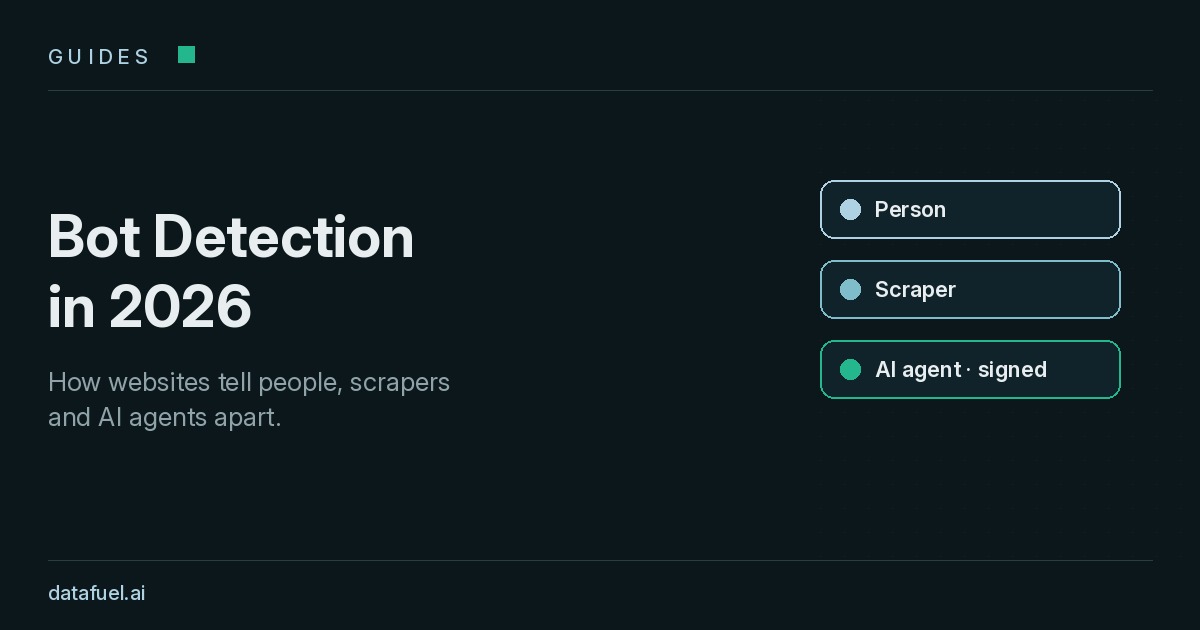
Bot detection used to be a yes-or-no question: human or machine. In 2026, most websites see three kinds of visitors, and each needs a different answer.
People browse. Scrapers and crawlers collect public pages. AI agents read, compare and sometimes act for a user.
According to Cloudflare Radar data cited by Search Engine Land, automated traffic reached 57.3% of HTTP requests to HTML pages in June 2026. The Radar bot dashboard shows a lower share across all HTTP requests, because it also counts images, APIs and other assets. Either way, telling visitors apart is now a core part of running a website.
This guide explains how bot detection works, layer by layer, and what the IETF Web Bot Auth draft changes. It is educational: it describes how sites classify traffic, not how to avoid classification.
How bot detection scores each request
Modern bot detection software rarely relies on a single test. It gathers signals from each request and its session. Then it combines them into a score. Typical outcomes are:
- Allow: the request looks like a person or a verified bot.
- Challenge: the site asks for extra proof, such as a JavaScript check or a CAPTCHA.
- Rate limit: the client is allowed, but slowed down.
- Block: the request is refused.
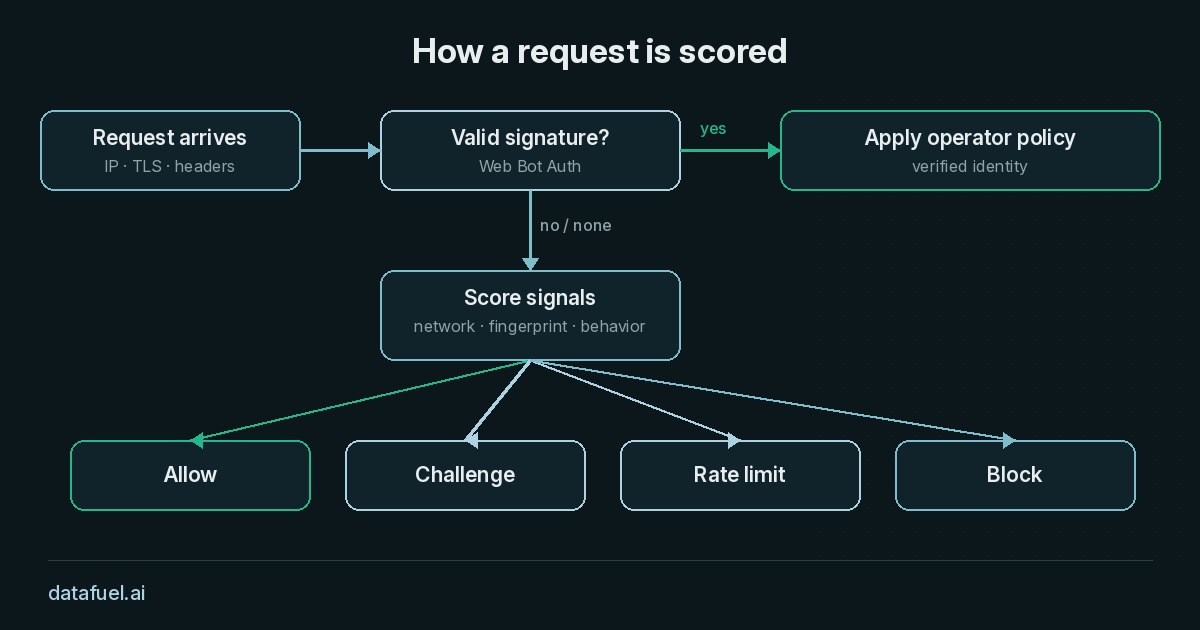
The score is a probability, not a verdict. A cautious site challenges more often, while a news site that wants search traffic may allow more. The same visitor can therefore get different results on different sites.
The four layers of bot detection
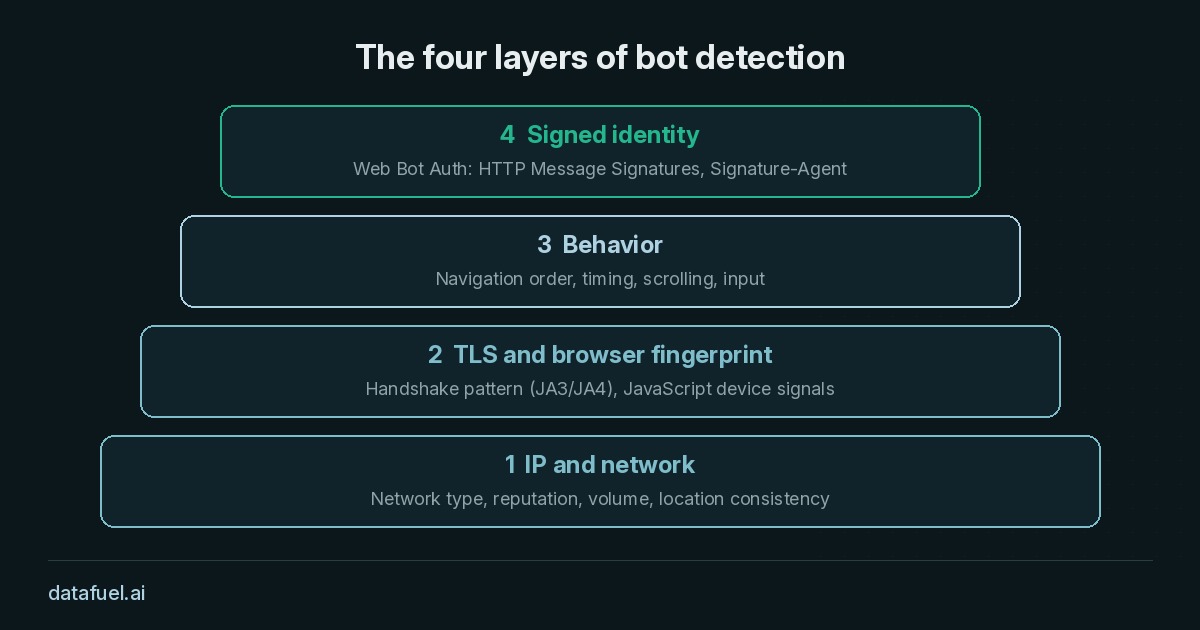
When people ask how websites detect bots, the answer is usually four layers that work together.
1. IP and network
The first signal arrives before any page loads. The site looks at the IP address and its network:
- Network type: a datacenter range, a mobile carrier or a home broadband line.
- Reputation: past abuse linked to the address or its subnet.
- Volume: how many requests the address sends, and how fast.
- Consistency: whether the IP location matches the browser's language and time zone.
Network data is cheap to check, so it often sets the first score. Still, it never decides alone, because many people share one public address.
2. TLS and browser fingerprint
Next comes the connection itself. During the TLS handshake, each client offers ciphers and extensions in a typical order. Detection systems summarize this pattern with JA3 or JA4 fingerprints. They then compare it with the browser the client claims to be.
Browser fingerprinting continues in JavaScript. A script can read screen size, fonts, graphics output and installed features. When the parts of a fingerprint disagree with each other, the score drops.
3. Behavior
Behavior covers what the visitor does over time: page order, timing, scrolling, pointer movement and form input. People are irregular. Simple automated clients tend to be regular, fast and narrowly focused. Machine learning models look for these patterns across many sessions.
4. Signed identity
The newest layer asks the client to prove who it is. Well-known crawlers publish IP ranges and user agents, but anyone can copy both. Nobody can copy a cryptographic signature without the private key. This is the idea behind Web Bot Auth.
Web Bot Auth and signed AI agents
Web Bot Auth is an IETF working group. On 1 September 2026 it adopted draft-ietf-webbotauth-httpsig-protocol-00, "HTTP Message Signatures for automated traffic". The draft builds on HTTP Message Signatures (RFC 9421):
- The operator of a bot or agent publishes its public keys in a key directory at a well-known URI.
- Each request carries a
Signature-Agentheader that points to that directory, plus a signature over parts of the request. - The website fetches the key, verifies the signature and knows which operator sent the request.
As a result, AI agent detection shifts from guessing to verification. A site can allow a trusted signed agent and rate limit another. It can also block unsigned traffic that claims to be a known crawler.
Two caveats apply. First, the document is still an Internet-Draft, not a finished standard, and its details may change. Second, a signature proves identity, not intent. Sites still apply their own rules on what each verified operator may access.
Anti bot detection from the website's side
Anti bot detection is often read as a way around protection. For site owners it means the opposite: choosing a policy for each class of visitor. A practical policy usually includes:
- a
robots.txtthat states which paths crawlers may visit; - verified allowlists for search engines and signed agents;
- rate limits per client rather than blanket blocks;
- challenges reserved for high-risk actions such as login and checkout.
Clear rules help legitimate collectors too, since they know what the site accepts.
Two routes to collect public web data
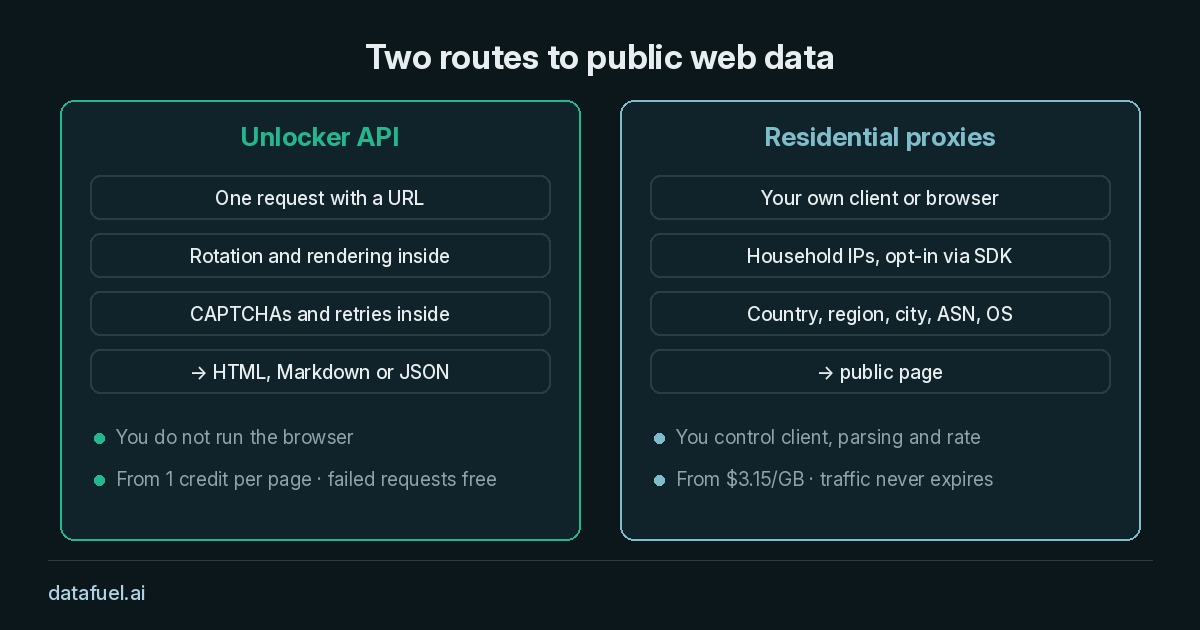
Teams that collect public pages for price monitoring, research or AI training face these layers too. Two common routes exist. Neither is better in every case; the choice depends on how much of the stack you want to run yourself.
Route 1: Unlocker API
The Unlocker API takes a URL and returns the page as HTML, Markdown or JSON. Proxy rotation, JavaScript rendering, CAPTCHA handling and retries happen inside the request. Pricing starts from 1 credit per page, and failed requests are free. You do not run the browser yourself.
Route 2: residential proxies
Residential proxies route your own client through household IPs from people who opted in through the Datafuel SDK, in line with GDPR. Targeting goes down to country, region, city, ASN and operating system, and sessions can rotate per request or stay sticky for up to 24 hours. Pricing starts from $3.15/GB, and traffic never expires. In this route, you keep full control of the client, the parsing and the request rate.
Python example
The script below fetches one public page through each route. It is a simplified example, so it has no retries or error handling. It reads credentials from environment variables, so no key or password appears in the code. The proxy username carries the targeting, as described in the residential proxy docs.
import os, requests

URL = "https://example.com/"

# Route 1: Unlocker API, one request returns Markdown
task = requests.post(
    "https://scraping-api.datafuel.ai/api/v1/task",
    headers={"X-API-Key": os.environ["DATAFUEL_API_KEY"]},
    json={"type": "unlocker", "proxy_type": "Basic", "proxy_country": "US",
          "attributes": {"url": URL, "result_format": "markdown"}},
    timeout=180,
).json()
if task.get("status") == "completed":
    print(task["result"]["data"][:300])

# Route 2: residential proxy, your own client sends the request
user = "network-residential-country-us"  # targeting goes in the username
password = os.environ["DATAFUEL_PROXY_PASSWORD"]  # from the dashboard
proxy = f"http://{user}:{password}@gw-us.datafuel.ai:5555"
page = requests.get(URL, proxies={"http": proxy, "https": proxy}, timeout=60)
print(page.status_code, len(page.text))
We ran the Unlocker part against example.com on 22 October 2026. The task came back completed with status 200 in about three seconds, cost 1 credit and returned the page as Markdown with a short front matter block for the title, URL and language. For a protected or JavaScript-heavy page, add "js_rendering": True to the attributes; a rendered page costs more credits.
Whichever route you choose, follow the same baseline: collect public pages only, respect robots.txt and site terms, keep request rates moderate and avoid personal data. The docs list every task parameter.
FAQ
What is bot detection?
Bot detection is the set of techniques a website uses to decide whether a request comes from a person or an automated client, and which client. It combines network, fingerprint, behavior and identity signals into a score.
How do websites detect bots?
They check the IP and network, compare the TLS and browser fingerprint with the claimed browser, watch behavior over the session and, increasingly, verify cryptographic signatures from known operators.
What is Web Bot Auth?
Web Bot Auth is an IETF working group and draft protocol. It lets bots and AI agents sign their HTTP requests so websites can verify the operator behind them.
Can websites tell AI agents apart from people?
Often, yes. Agents that sign requests with Web Bot Auth identify themselves directly. For unsigned agents, sites rely on the same network, fingerprint and behavior signals used for other automated traffic.
Is web scraping legal?
The answer depends on your jurisdiction, the site's terms and the data you collect. Public pages, no login, no personal data and a moderate request rate form a common baseline. This is not legal advice, so check your case with a lawyer.
Try both routes
Create an account, get an API key and test the Unlocker API and residential proxies with the free trial. No credit card is required.