How to Scrape Google Search Results with Python
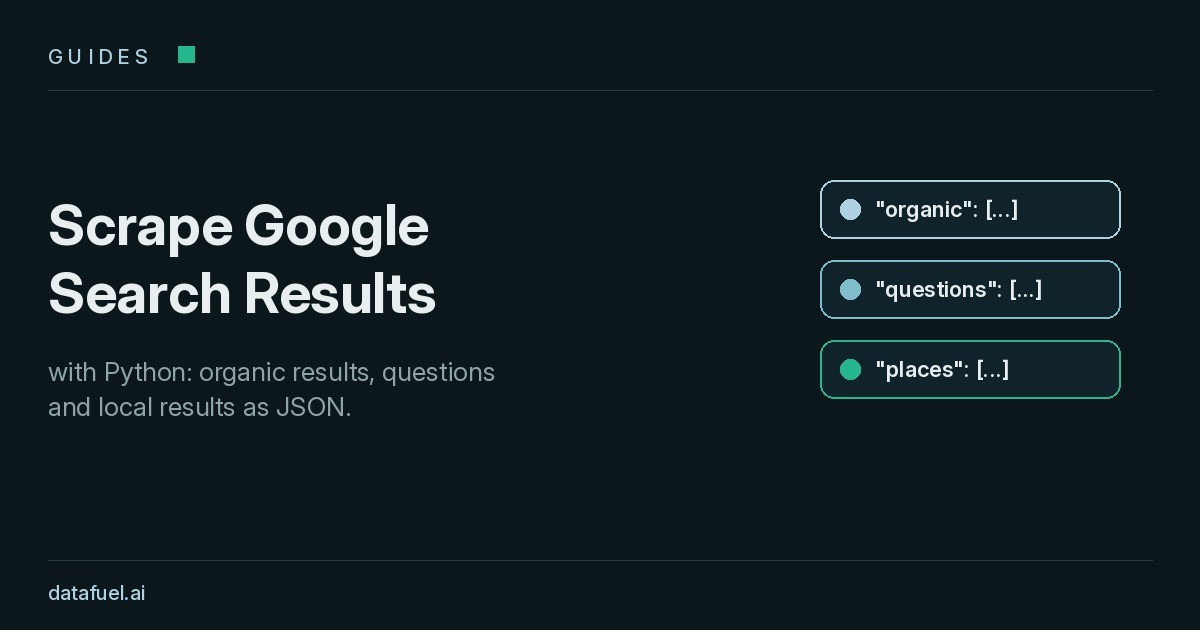
This guide explains how to scrape Google search results with Python and turn them into structured data you can query. You will see which blocks a results page holds in 2026 and why a plain script fails after a few requests. You will also see how one API call returns organic results, People also ask questions and local results as JSON.
Search results show who ranks for your keywords, which questions people ask, and which local businesses appear in each city. Marketing teams use them for SEO rank tracking. Data teams use them to find sources. AI agents use them to choose which web pages to read next.
The guide covers public results pages only. It does not describe ways around a site's access controls.
What you get when you scrape Google search results
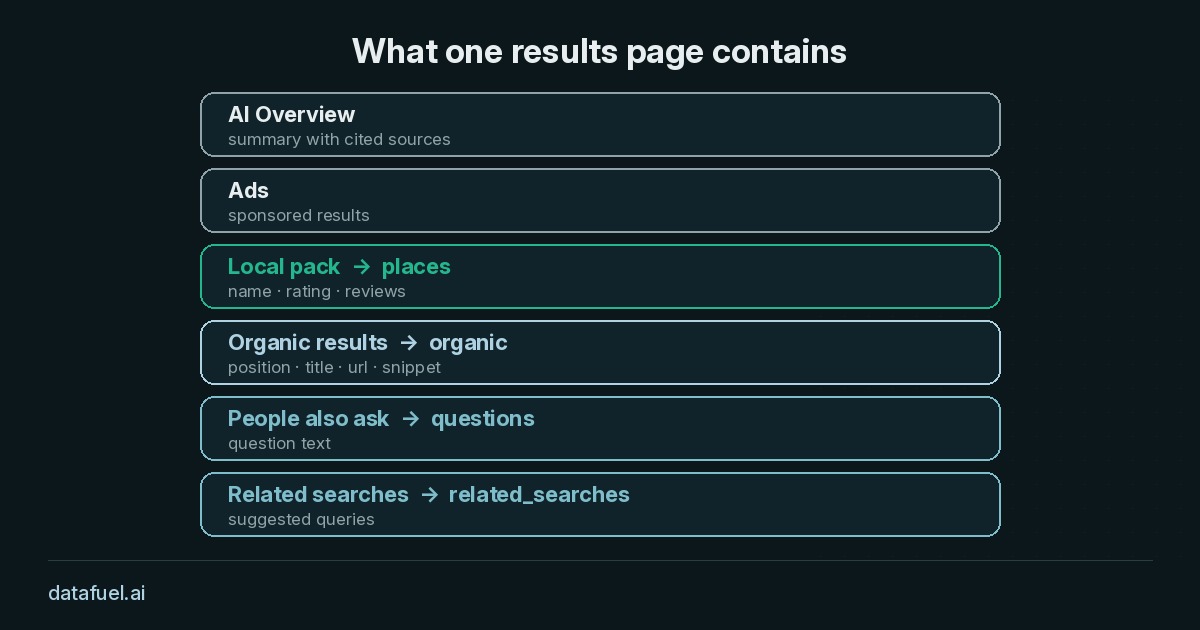
A results page no longer means ten blue links. A single query can return several blocks, and each block answers a different question:
- Organic results: position, title, URL and snippet. Most rank tracking tools measure this block.
- People also ask: the questions Google shows next to a query. They give writers a steady source of content ideas.
- Local pack: places with ratings and review counts, shown for queries with local intent.
- Related searches: other queries Google suggests at the bottom of the page.
- AI Overviews and ads: blocks that often sit above the first organic result.
The page also changes with the searcher. Country, city, language and device all shift the order of results. A ranking checked from your office shows your ranking in your office. Comparable data from week to week requires the same settings on every query.
SERP features that change what you measure
Each SERP feature takes space on the page, and each one changes how many clicks reach the organic results below it. A useful Google search scraper records which features appear, not only the organic positions.
Featured snippet. A featured snippet shows a short answer taken from one page, placed above or inside the organic list. Winning it can matter more than moving from position four to position three.
AI Overview. An AI Overview summarises an answer and cites a few sources. On many informational queries it pushes the first organic result down the screen. Being cited in it adds search visibility that a position number alone does not show.
Local pack. For queries with local intent, the local pack lists places with ratings and reviews. Its content changes from one city to the next, so a single location tells you little about a national brand.
People also ask. These expandable questions reveal what searchers want to know next. They often make good H2s for new content.
When you store results, keep one row per SERP feature per query. That way you can ask simple questions later: on which tracked keywords does an AI Overview appear, and which local packs include us?
Why a simple Python scraper gets blocked
The first attempt usually looks the same. You send a request to google.com/search with the requests library, parse the HTML with BeautifulSoup and print the titles. It works a few times. Then a CAPTCHA page, a consent page or an empty result replaces the data.
Three causes explain most failures:
- Search engines defend automated queries hard. Rate limiting and CAPTCHAs start within a few requests when an IP behaves like a tool. Detection systems also recognise datacenter IP ranges quickly.
- The HTML is hard to parse. Google changes class names often, so selectors that worked last month return nothing today.
- Location is hard to control. Your script sees the results for the place where your server sits, not for your target market.
A headless browser fixes some rendering problems, but it does not solve IP reputation, location or parsing. Solving all three yourself means running your own collector, your own IP pool and your own parser. For many teams, that work is not the goal. The goal is the data.
Two ways to scrape Google results from local IPs
Two practical routes exist. The difference lies in who does the parsing.
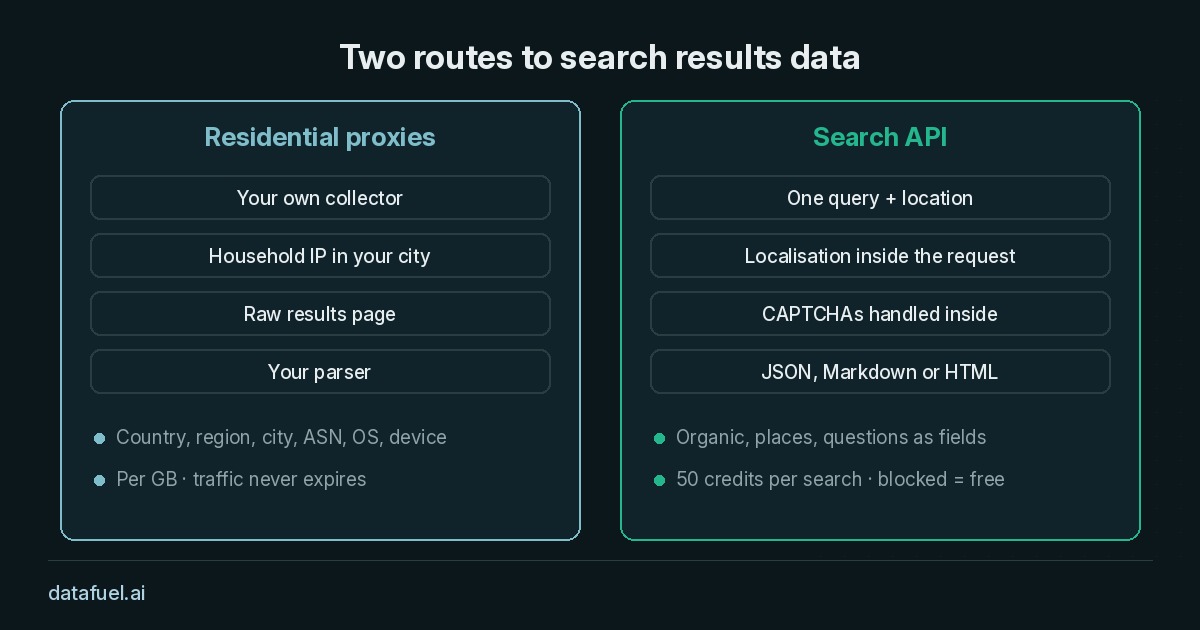
Residential proxies. Teams with a working rank tracker can keep it and fix the network instead.
Datafuel residential proxies target country, region, city, ASN and OS, on desktop or mobile. Your collector gets the raw results page from a local IP. You still handle CAPTCHAs and parsing. Datafuel bills proxies per GB, and traffic never expires.
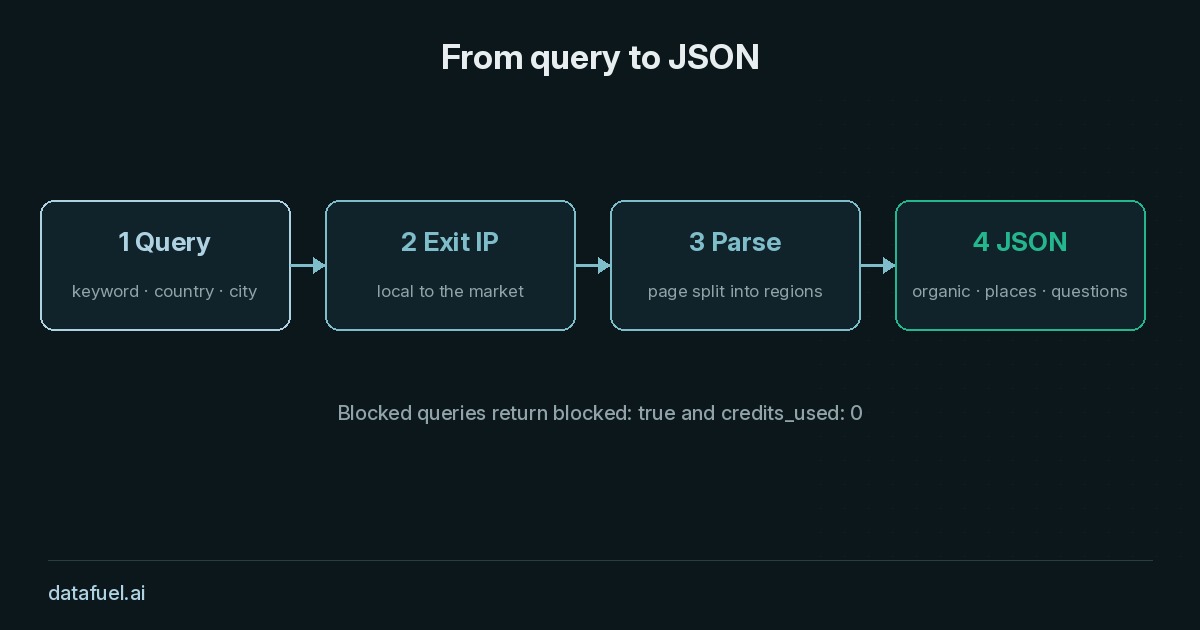
Search API. The Datafuel Search API works as a Google search API that takes a query and a location and returns results. It returns organic results, the local pack and People also ask as separate JSON fields. The API handles localisation, parsing and CAPTCHAs inside the request. Each search costs 50 credits, and blocked queries are free.
Many teams use both: the Search API for tracking and residential proxies for the collectors they already run.
How to scrape Google search results with Python
The short Python script below sends one query to the Search API and saves the organic results to a CSV file. You need Python 3 and the requests library. Store your API key in an environment variable called DATAFUEL_API_KEY, so it never sits in your code.
import csv
import os
import requests

API = "https://scraping-api.datafuel.ai/api/v1/task"
HEADERS = {"X-API-Key": os.environ["DATAFUEL_API_KEY"]}

def search(query, country="us", language="en", location=None, page=1):
    attributes = {
        "query": query,
        "country": country,
        "language": language,
        "page": page,
        "result_format": "json",
    }
    if location:
        attributes["location"] = location
    response = requests.post(
        API,
        headers=HEADERS,
        json={"type": "serp", "attributes": attributes},
        timeout=120,
    )
    response.raise_for_status()
    return response.json()

task = search("best running shoes", location="Austin, Texas, United States")
print(task.get("status"), task.get("credits_used"))

data = task.get("result", {}).get("data", {})
with open("organic.csv", "w", newline="") as f:
    writer = csv.writer(f)
    writer.writerow(["position", "title", "url", "snippet"])
    for row in data.get("organic", []):
        writer.writerow([row.get("position"), row.get("title"),
                         row.get("url"), row.get("snippet")])

for question in data.get("questions", []):
    print("People also ask:", question.get("text"))
We ran this script against the live API: it returned completed, used 50 credits and wrote one row per organic result.
Search parameters you can set
Search parameters decide which page Google serves, so they matter as much as the query itself:
- Country and language set Google's gl and hl values for the market you track.
- Location takes free text such as a city name. You can also pass uule or GPS coordinates.
- Page is 1-based, so page 2 returns the next set of results without offset maths. To collect a larger number of results, request more pages for the same query.
- Search operators such as site: and intitle: go straight into the query string.
- Result filters such as cr, lr, tbs and safe narrow results by country, language, date or SafeSearch.
- Result format accepts json, markdown for language models, or html for the raw page.
In the response, each region of the page has its own key: organic, places, questions and related_searches. Each organic row includes position, title, url and snippet. You do not need to write a parser for Google's HTML.
SEO rank tracking across cities
SEO rankings differ by city, so a serious rank tracking setup measures each keyword in each market. A simple plan works well:
- List your tracked keywords, for example 50 queries.
- List the cities that matter for the business, for example five.
- Run every keyword in every city on a fixed schedule, such as once a week.
- Save the position of your domain, the SERP features present and the URL that ranks.
Fifty keywords in five cities gives 250 searches per run. Over time, the data shows where your search visibility grows, where a competitor's page moves ahead and where an AI Overview or local pack pushes your result down.
Scrape many queries at once
Instead of looping over single requests, send a batch job. POST /job takes a queries array and runs the searches concurrently. You then poll the job and download the results.
Two habits make batch scraping easier to run:
- Send an Idempotency-Key header. When your script retries after a timeout, the API returns the original result instead of charging twice.
- Store the settings with each result. Save the engine, query, country, city, language, device and timestamp next to every row. These fields make this week's ranking comparable with last week's.
Turn Google search results into useful data
Once the results sit in a CSV file or a database, the analysis is simple:
- Rank tracking: follow the position of your domain for each keyword and city over time.
- Content research: collect People also ask questions and related searches to plan new pages.
- Local SEO: compare the local pack across cities to see where you appear.
- AI agents: give an agent the top results as JSON or Markdown so it can pick sources to read. The Search API also works through the Datafuel MCP server, which you can connect with
npx -y @datafuel/mcp init.
Frequently asked questions
Is it legal to scrape Google search results?
Search results pages are public, but the rules depend on your country, your use case and the terms of the sites involved. Collect only what you need, avoid personal data, and ask a lawyer before you resell or republish the data.
How to scrape Google search results Python developers can maintain?
Keep the request, the parsing and the storage in separate functions, as in the script above. For a few test pages, requests and BeautifulSoup are enough. Regular collection across many keywords and locations needs a reliable answer to blocks, locations and changing HTML. You can build that with your own proxies and parser, or use an API that returns JSON.
What is the difference between a Google search results scraper and a SERP API?
A Google search results scraper downloads the results page, and you parse it yourself. A SERP API such as the Datafuel Search API handles the request, the location and the parsing, then returns structured fields.
Can I scrape Google search results Python scripts without a credit card?
Yes. Every Datafuel account starts with 1,000 trial credits, valid for one year, with no card required. That free trial covers 20 searches at 50 credits each. Blocked or failed queries are refunded. See pricing for current rates.
Start with one query
The easiest way to learn what a results page holds is to scrape one. Create a free account, set DATAFUEL_API_KEY and run the script above with your own keyword and city.